

DMC (Dr Migrate Collector)
Connect to your Dr Migrate instance and select DMC as your data collection source. Download and scan steps are covered in the Data Collection section.
Prerequisites
| Requirement | Learn More | |
|---|---|---|
| Access to your Dr Migrate SaaS instance. | Learn More | |
| Windows-based VM (Jump Box) with required specifications. | Learn More | |
| Network connectivity to target systems. | Learn More | |
| Appropriate credentials for target systems. | Learn More | |
| Enterprise Agreement pricing configured (if applicable). | Learn More |
For full system, network, and credential requirements, see System and Access Requirements.
Enterprise Agreement Pricing
Enterprise Agreement Customers Only: If your organization has an Enterprise Agreement with Microsoft and wants Dr Migrate to apply your negotiated Azure rates for accurate TCO calculations, complete the EA pricing prerequisites before running DMC. See Sync Enterprise Agreement Pricing for setup instructions.
Connect to Your Dr Migrate Instance
Each customer is provisioned with their own dedicated, secure Dr Migrate instance.
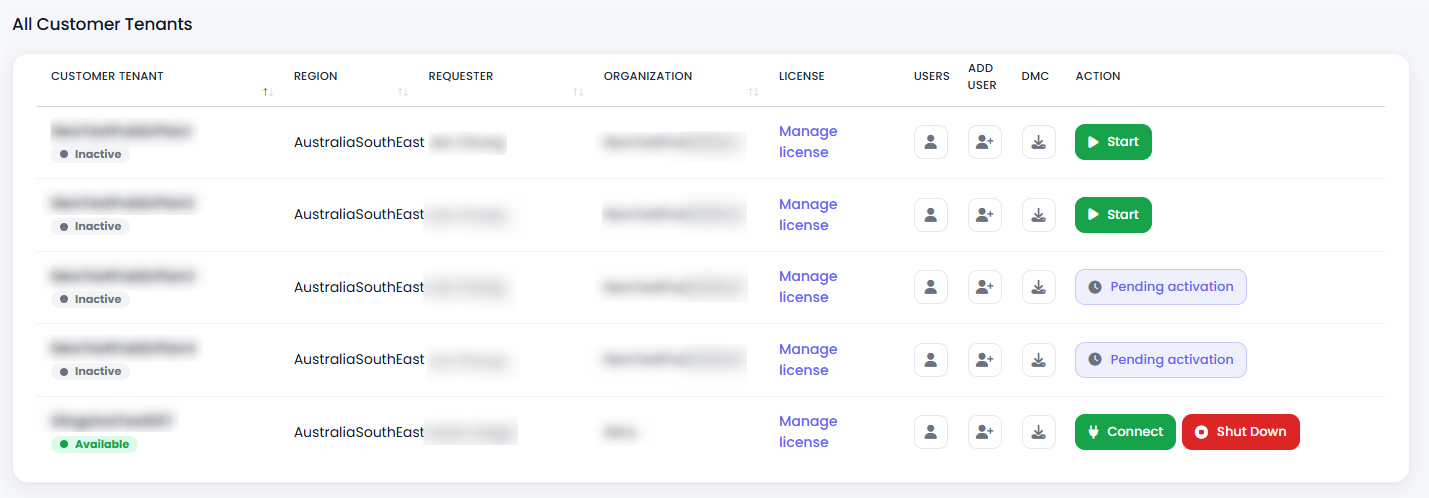
Once you are logged in, you will see your deployment. If the VM is not started, click Start.
Choose DMC as Your Data Collection Source
When logging in for the first time, you will be prompted to select a data source. Choose DMC.
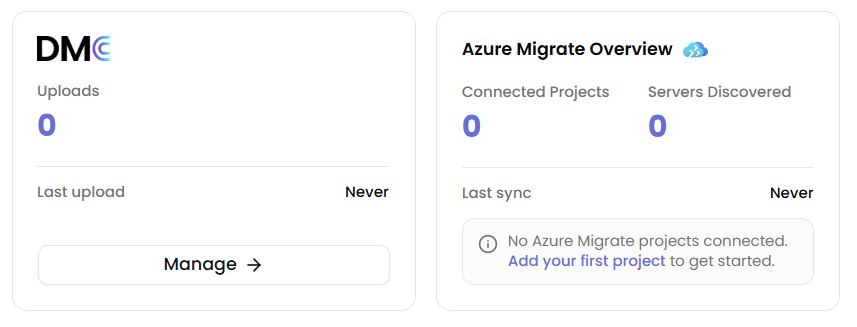
See Selecting DMC as Your Data Source for the full steps.