

AI Advisor
Only an admin whose user type is Customer can enable or disable the AI Advisor, because enabling it accepts terms and conditions on the customer's behalf. Partner, Microsoft and Altra accounts cannot, even with admin rights. Ask a customer admin to sign in and change the setting.
Navigate to the Admin section and select Instance Configuration from the menu.
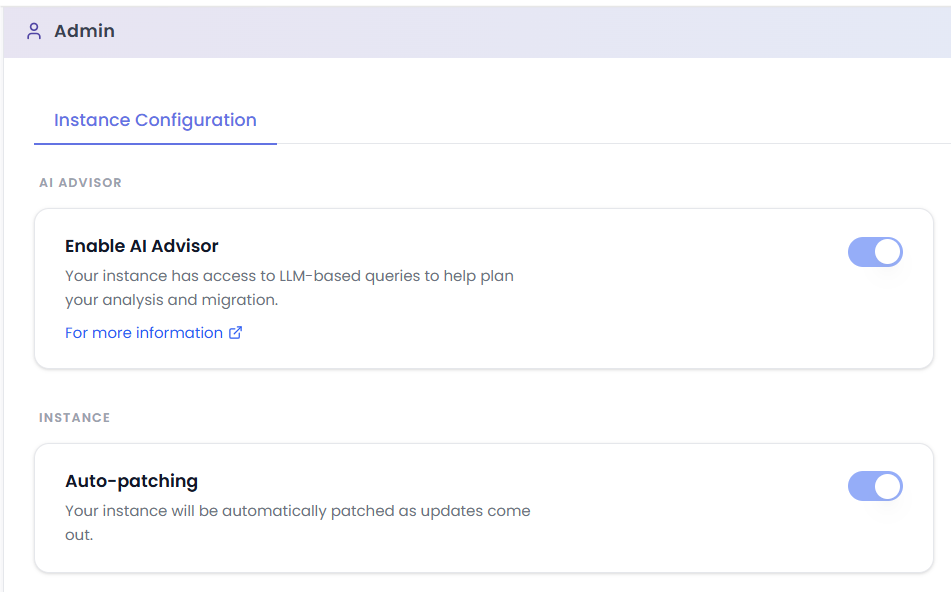
The Enable AI Advisor toggle controls the AI Advisor.
Turning off Enable AI Advisor makes the AI Advisor unavailable to all users. Disabling takes effect immediately: all access to the Azure OpenAI session is terminated as soon as the feature is turned off, and it permanently deletes all AI Advisor data held on your instance, including every user's conversation history, any tables and graphs saved with those conversations, and the interaction logs collected while the feature was enabled. Other than usage records kept for billing, nothing is retained for later recovery, so re-enabling the Advisor starts with an empty Chat history. This keeps you in control of your data, but it cannot be undone.
See how your data is handled when reviewing this setting, including where requests are processed, what is retained and what is deleted if you opt out.
See AI Advisor for how end users interact with this feature.